Loading...
Loading prompt generator...
Loading...
Loading examples...
Loading...
Loading video examples...
Loading...
Loading guide...
Loading...
Loading information...
Loading...
Loading FAQ...
Build rich, multi-layered Veo 3 prompts with cinematic precision — scene, subject, camera movement, lighting, mood, and native audio in one structured workflow.
Loading prompt generator...
Loading examples...
Loading video examples...
Loading guide...
Loading information...
Loading FAQ...
Fill in the fields below and your prompt builds in real time
Describe your scene to generate a prompt...
Describe your scene to generate a prompt...
Click any keyword to add it to your prompt
A horizontal streak of light created when a bright source hits an anamorphic lens — the signature look of major Hollywood productions. Veo 3 renders it as a long oval horizontal streak across the frame, often blue or teal-tinted. Use when a bright light source (sun, headlights, lamp) is partially in frame to add cinematic production value.
Natural light captured in the 30–60 minutes after sunrise or before sunset. Produces warm amber, orange, and honey tones with long, soft-edged directional shadows. Veo 3 bathes the entire scene in this warm wash. Ideal for outdoor portraits, landscapes, and any scene needing emotional warmth or nostalgia.
A deliberate mid-shot shift of the focal plane from one subject to another — one subject goes sharp as another softens. Draws the viewer's attention and implies a narrative connection between the two subjects. Veo 3 simulates this as a smooth animated focus transition. Best in two-subject scenes where a relationship or revelation needs emphasis.
Shallow depth of field keeps only a narrow plane in sharp focus while the foreground and background fall into soft blur. Isolates the subject from its environment and creates a professional, cinematic quality. Veo 3 applies this as a defocus gradient. Most effective for portrait shots and scenes where the background should recede.
Footage captured at a higher frame rate and played back at normal speed, stretching time and revealing detail invisible at regular speed. Water droplets hang in air, fabric flows like silk, expressions linger. Veo 3 renders physics and motion trails accordingly. Use for action beats, emotional payoff moments, or any scene where time itself is the subject.
Minutes or hours of real time compressed into seconds of footage, making normally imperceptible changes visible — clouds racing, flowers opening, cities waking. Veo 3 accelerates motion and light transitions throughout the clip. Best for establishing environmental change: weather shifts, day-to-night transitions, or the passage of seasons.
A visible noise pattern overlaid on the image, simulating the silver-halide grain structure of analog photographic film. Adds organic texture, warmth, and imperfection that digital footage lacks. Veo 3 applies this as a layer of dynamic moving noise. Pairs naturally with Vintage Film or Noir visual styles for an authentic celluloid feel.
The camera is tilted diagonally on its roll axis so the horizon is not level with the frame. Creates immediate visual tension, unease, or psychological instability. Veo 3 renders the entire scene at this canted angle. Use sparingly in thriller, horror, or action scenes to signal that something is wrong or off-balance.
A directly overhead camera angle looking straight down at the scene below. Subjects appear flat and map-like, losing the normal sense of depth. Creates a god-like perspective of detachment or omniscience. Veo 3 renders this as a top-down vertical frame. Excellent for choreographed motion, crowds, urban grids, and abstract compositional patterns.
The frame is filled entirely by one small detail — an eye, fingertips, the surface of an object. Eliminates all environmental context and forces total focus on a single point. In Veo 3, this means the subject occupies nearly the full frame with tight cropping. Use to reveal emotion through micro-expressions or to give significance to a small object or action.
Light scatters across the lens glass elements, creating circles, hexagons, or streaks of light artifact across the image. Unlike the anamorphic variant, standard lens flare appears as circular or polygonal shapes. Adds energy and the feeling that the scene was captured in real conditions. Veo 3 introduces these as visible light artifacts when bright sources are present.
The aesthetic quality of out-of-focus areas in an image, specifically the soft, round or disc-shaped renderings of background light points. High-quality bokeh from a fast prime lens appears as smooth creamy orbs. Veo 3 renders background light sources as softly glowing circles when shallow depth of field is active. Most visible in night scenes with point light sources.
Also called "god rays" or "crepuscular rays" — visible shafts of light passing through atmospheric particles like dust, fog, or smoke. The light source itself becomes visible as beams radiating outward. Veo 3 renders this as three-dimensional light volumes interacting with the environment. Highly impactful in forest scenes, cathedrals, foggy interiors, and anywhere atmosphere is in the air.
Light sources that are physically visible within the scene itself — a desk lamp, a lit candle, a neon sign, a television screen. Practical lights motivate the scene's illumination and add realism by grounding the light source in the story world. Veo 3 uses these in-frame sources as the primary or supplementary illumination. Adds authenticity and avoids the look of artificial studio setup.
The subject is positioned in front of a bright background — a sunset, a window, a backlit sky — so their form appears as a dark, featureless shape against the light. Strips away detail and identity, emphasizing shape, posture, and outline. Veo 3 renders this as strong exposure contrast between subject and background. Powerful for mystery, anonymity, or iconic visual symbolism.
Post-production color correction applied to give the entire image a unified, intentional color palette and tone. Separates amateur from professional footage. Veo 3 applies a cinematic color grade across the scene — typically lifting shadows slightly, compressing highlights, and applying a subtle color cast. Adds cohesion and stylistic identity when combined with a specific visual style.
The most widely used color grading palette in Hollywood blockbusters. Human skin tones are pushed toward warm orange while shadows and backgrounds shift toward cool teal, creating a complementary contrast that makes subjects pop visually. Veo 3 applies this as a color grade across the scene. Immediately recognizable as a big-budget film look — use for action, adventure, and epic scenes.
An ultra-detailed rendering style that exceeds normal photographic realism — every pore, texture, surface imperfection, and light interaction is rendered with microscopic precision. Veo 3 interprets this as a directive to maximize physical accuracy, detail density, and material fidelity. Best for close-up scenes of objects, environments, or faces where tactile believability is the goal.
A semi-transparent layer of mist, fog, dust, or humidity in the air that scatters light and softens distant objects. Creates natural depth cues — objects farther away appear progressively hazier and lighter. Veo 3 renders this as a gradient haze effect that increases with distance. Essential for forest mornings, industrial environments, cityscapes, and any exterior scene needing depth and air.
The trailing streak effect left by a fast-moving subject or a panning camera during exposure. Gives the impression of speed and kinetic energy. Without motion blur, fast action looks unnaturally sharp and staccato. Veo 3 applies directional blur to moving elements. Essential for car chases, running sequences, sports, and any scene where conveying speed is important.
The 2.35:1 or 2.39:1 anamorphic aspect ratio used in theatrical feature films, characterized by black letterbox bars at the top and bottom. Dramatically expands horizontal field of view and creates an immersive, cinematic framing. Veo 3 applies this as a cropped horizontal format. Use for any content that should feel like a feature film rather than television or social media footage.
The camera physically moves alongside or behind a moving subject — originally on rails, now often on a gimbal or drone — keeping the subject in frame throughout. Creates a sense of continuous momentum and immerses the viewer in the subject's journey. Veo 3 renders this as sustained lateral or directional camera movement. Ideal for chase scenes, walk-and-talk sequences, and any movement-driven narrative.
A wide or very wide shot that introduces the physical location of a scene — a city, a building, a room — before cutting to closer action. Orients the viewer geographically and emotionally. Veo 3 renders this as a broad, environmental frame with the location as the subject rather than any individual character. Standard at the start of a new scene or location change.
The camera operator holds the camera without a tripod or stabilizer, introducing subtle natural sway, micro-adjustments, and organic movement that no mechanical rig fully replicates. Communicates immediacy, documentary authenticity, and physical presence. Veo 3 renders this as gentle non-uniform frame movement. Use for conflict scenes, news-style footage, intimate drama, or anywhere mechanical perfection would feel emotionally cold.
Explore real-world examples of prompts created with our tool. Each case demonstrates different cinematic techniques and visual styles.
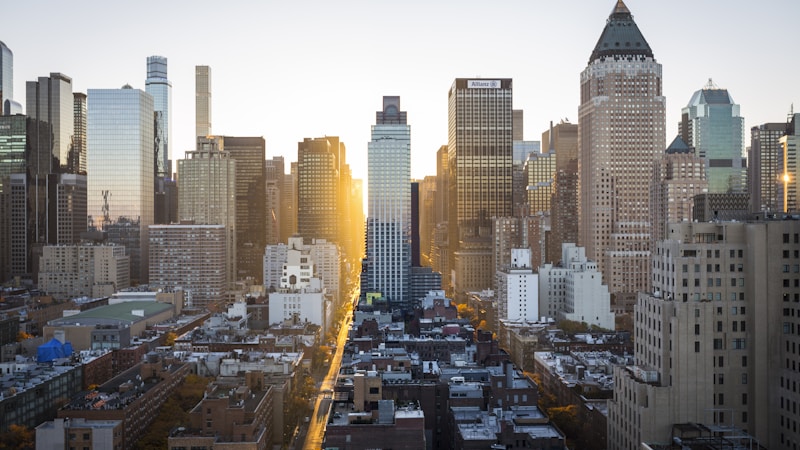
Prompt
Wide establishing shot of a futuristic metropolis at golden hour. Flying autonomous vehicles weave between skyscrapers, creating light streaks against the deepening blue sky. Camera descends slowly in helicopter-style movement, revealing bustling streets and holographic advertisements. Cinematic depth of field with warm orange and deep blue color palette. Sophisticated visual palette evoking wonder and familiarity. Urban ambient sounds with distant traffic hum, helicopter rotors, electronic city ambience.
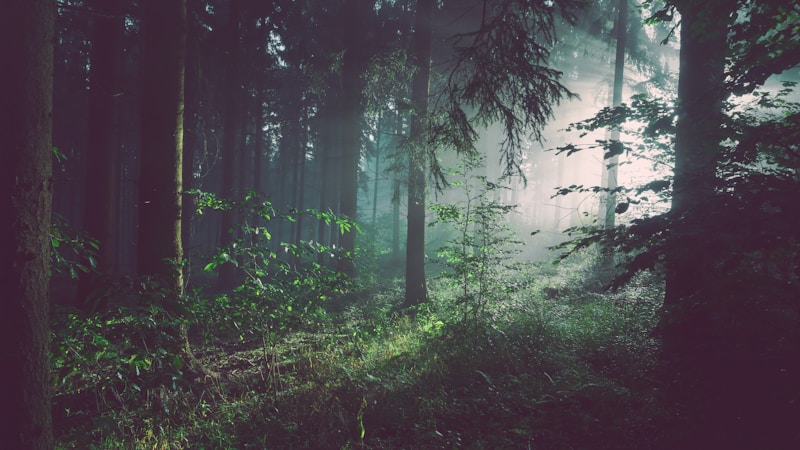
Prompt
A majestic stag moves gracefully through an ancient forest. Sunlight filters through the dense canopy, creating dappled light patterns on the forest floor. Camera follows with smooth professional tracking, maintaining perfect focus. Dust motes dance in shafts of golden light. Shallow depth of field isolates the subject while maintaining environmental context. Peaceful and reverent mood, capturing wildlife majesty in natural habitat. Natural forest ambience with gentle wind rustling through leaves, distant bird calls, soft hoof steps on forest floor, peaceful nature sounds.
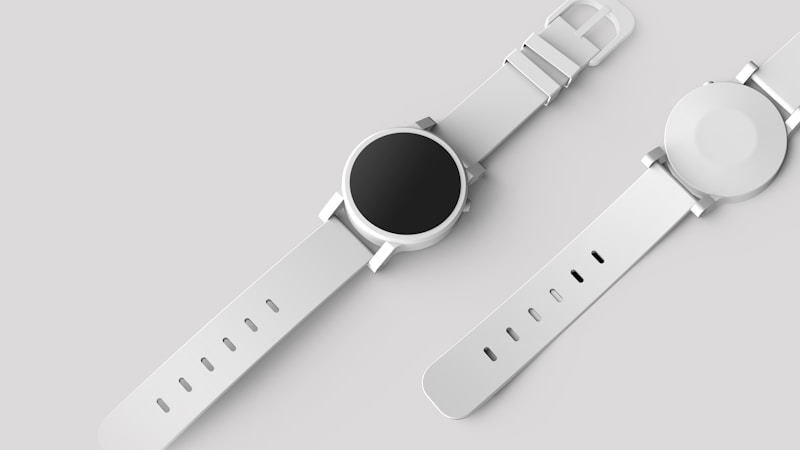
Prompt
Sleek minimalist product rotates slowly on pristine white infinity surface. Soft studio lighting creates elegant highlights accentuating premium design features. Camera orbits in smooth controlled movement, revealing every angle. Key light from upper left, fill light from right, subtle rim light for separation. Clean background with subtle gradients. Premium and sophisticated aesthetic for high-end commercial applications. Subtle ambient electronic music with gentle rhythmic beats, soft whooshing sounds as camera moves, clean professional audio.
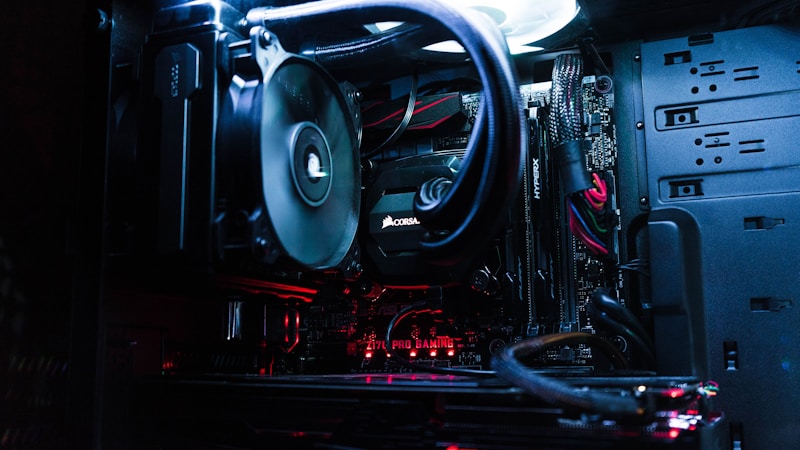
Prompt
Rain-soaked cyberpunk street at midnight, neon signs in electric blues, magentas, and purples reflecting on wet pavement. Flying cars with glowing trails streak overhead. Solitary figure in trench coat walks purposefully through crowded street past holographic displays. Camera tracks with slight handheld feel for documentary authenticity. Steam rises from vents, creating atmospheric haze. Rich saturated color palette with deep blacks contrast to vibrant neon elements. Atmospheric and immersive dystopian future city. Distant electronic music thumping from bars, hissing steam vents, rain falling on pavement, cyberpunk city ambience.
Prompt
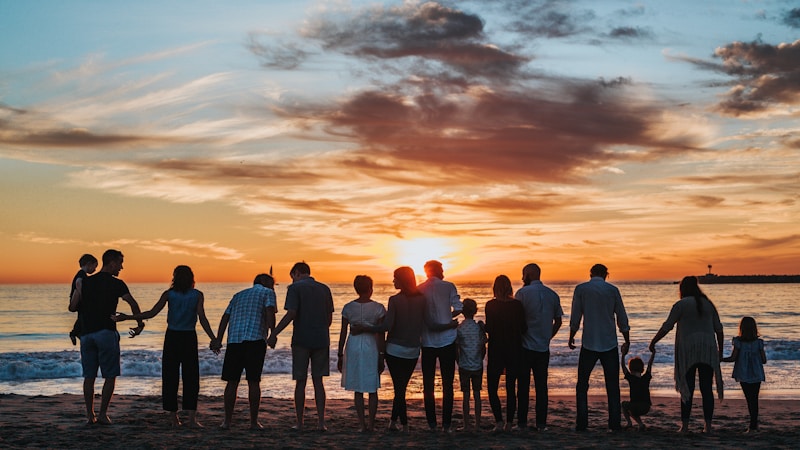
A modern dining room at sunset, family gathered around a dinner table with home-cooked dishes. Golden hour light streams through large windows overlooking a garden. Camera slowly orbits the table, capturing genuine smiles and laughter. Warm color palette with amber and orange tones. Cozy, heartwarming atmosphere emphasizing human connection. Gentle camera movements, soft focus on emotional moments. Perfect for family-oriented lifestyle content. Warm ambient sounds of family conversation, gentle laughter, silverware clinking, soft background music, cozy domestic atmosphere.

Prompt
Vibrant vertical format video optimized for social media. Dynamic gradient background with electric blues transitioning to hot pinks, subtle geometric patterns. Charismatic person engages directly with camera, animated and authentic expression. Quick dynamic cuts, smooth transitions, high energy movements. Bright flattering lighting with soft key light and colorful accent lights. Contemporary polished aesthetic, vibrant saturated color grading for maximum mobile impact. Upbeat energetic background music, dynamic sound effects matching visual transitions, vibrant audio.
Three steps to a professional AI video prompt
Describe your scene
Write at least 2–3 sentences for your scene. Include the environment, the action happening, the time of day, and the emotional tone you are going for. The more specific you are — "a rain-soaked Tokyo alley at 2am" rather than "a street at night" — the better Veo 3 will interpret your intent.
Set your cinematic parameters
Choose a camera movement (tracking shot, push in, aerial), a visual style (cinematic, documentary, noir), lighting conditions, and mood. Add subject detail to describe who or what is in the frame. Optionally specify audio — Veo 3 natively generates synchronized sound from your description.
Copy, share, and generate
Hit "Copy Prompt" and paste it directly into Google VideoFX or the Vertex AI Veo 3 API. Use "Share" to get a permalink you can send to collaborators. Your last 5 prompts are saved in session history so you can revisit, tweak, and re-copy without losing your work.
About the Model
Veo 3 is Google DeepMind's most advanced video generation model. Released in 2025, it produces high-definition, physically realistic video clips from text prompts — and is the first model in its class to natively generate synchronized audio including dialogue, sound effects, and ambient atmosphere.
Writing effective Veo 3 prompts requires understanding its vocabulary: camera movements, visual styles, lighting conditions, and mood descriptors that map directly to its training data. Generic descriptions like “a beautiful scene” produce generic results. Specific cinematic language — “Cinematic tracking shot, golden hour light, teal and orange color grading” — gives the model precise visual targets to hit.
The best Veo 3 prompts describe four things: what is happening (scene), who or what is in frame (subject), how it is shot (camera and style), and how it feels (lighting, mood, audio). This generator structures all four layers for you and assembles them into the exact format Veo 3 responds to best.
Learn more at Google DeepMind(opens in new tab)Native Audio Generation
Veo 3 is the first AI video model to generate synchronized dialogue, sound effects, and ambient audio alongside the video — no separate audio pipeline needed.
Cinematic Quality
Trained on professional film footage, Veo 3 understands camera movements, lens optics, depth of field, and lighting in the same language as human cinematographers.
Precise Prompt Control
Unlike earlier models, Veo 3 follows detailed natural-language prompts accurately — subject descriptions, emotional tone, aspect ratio, and duration are all respected.
Available via VideoFX & API
Access Veo 3 through Google VideoFX (AI Test Kitchen) or the Google Cloud Vertex AI API for production applications.
Everything you need to know about Veo 3 and this tool
Veo 3 is Google DeepMind's most advanced AI video generation model, announced at Google I/O 2025. It generates high-definition, physically realistic video clips up to 30 seconds long from text prompts. What sets it apart from all previous models — including its predecessor Veo 2 — is its ability to natively generate synchronized audio: dialogue, sound effects, ambient environment sound, and music can all be described in the prompt and the model produces them in sync with the video.
Yes, completely free with no limits. No account, no sign-up, and no usage cap. This tool runs entirely in your browser — no text you type is ever sent to a server. The prompts you generate are yours to use in any platform that supports Veo 3, including Google VideoFX and the Vertex AI API.
To generate videos with Veo 3 you need access through one of two channels. Google VideoFX (via AI Test Kitchen at aitestkitchen.withgoogle.com) requires a Google account and is currently available in select countries. The Vertex AI API requires a Google Cloud account with billing enabled and access to the us-central1 region where Veo 3 is hosted. This prompt generator itself requires no account — it is a standalone writing tool.
VideoFX is Google's consumer-facing browser interface — drag and drop simplicity, no code, great for experimenting. It has limited control over output parameters and is subject to safety filters and usage quotas. The Vertex AI API gives developers full programmatic control: you can set exact parameters, batch-generate clips, integrate Veo 3 into your own products, and process outputs programmatically. Both accept the same prompt format, which is what this generator produces.
Veo 3 currently generates clips up to 30 seconds in a single generation. This is longer than most competing models, which are limited to 4–8 seconds. For productions requiring longer footage, the standard workflow is to generate multiple clips and assemble them in a video editor like DaVinci Resolve, Premiere Pro, or even Google's own YouTube Studio. Because Veo 3 is consistent in style when given the same prompt parameters, edited sequences can look cohesive.
Veo 3 supports 16:9 (standard widescreen, best for YouTube and desktop), 9:16 (vertical portrait, optimized for TikTok, Instagram Reels, and YouTube Shorts), 1:1 (square, good for Instagram feed), and 4:3 (classic film and TV ratio). Choose your ratio in the generator and it is included in the prompt. 16:9 at cinematic quality is where Veo 3 currently performs best.
Yes — and this is one of Veo 3's most significant capabilities. You can describe sound as naturally as you describe the visual scene. Specify dialogue ("a woman says softly, 'I'll be back by morning'"), ambient sound ("rain on a tin roof, distant thunder"), music ("slow melancholic piano, minor key"), or sound effects ("the creak of an old wooden door, a sharp intake of breath"). Veo 3 generates audio that is temporally aligned with the on-screen action, not just layered on top.
Veo 3 was trained on a vast corpus of professionally annotated film and video footage. Its internal representations align strongly with cinematography vocabulary that human editors, directors, and camera operators use. Terms like "tracking shot", "golden hour", "depth of field", "film grain", "anamorphic lens flare", and "rack focus" each correspond to precise visual patterns the model has learned. Using vague adjectives like "beautiful" or "cool" gives the model little signal to work with. This is why the Style Keywords section exists — each keyword is a tested trigger with a known visual output.
The best prompts have four layers: a specific scene (environment, time of day, weather, what is happening), a subject description (who or what, their appearance, emotional state, what they are doing), cinematic parameters (camera movement, visual style, lighting, mood), and audio (what the viewer should hear). Prompts that also include 2–3 style keywords score highest. A prompt rated "Excellent" by this tool's quality scorer has covered all those layers — it gives Veo 3 enough information to make creative decisions confidently rather than filling gaps with defaults.